See Mom or Dad again—even when answering the phone has become too hard.
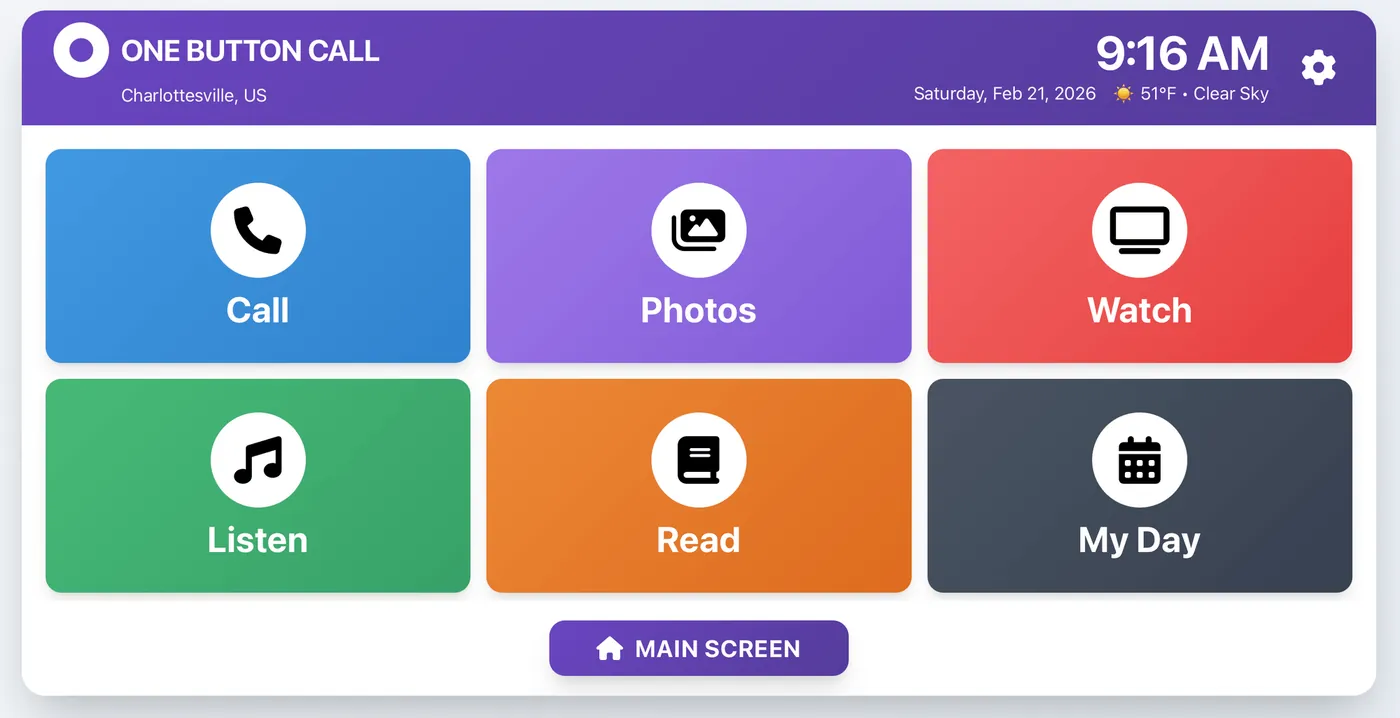
One Button Call turns the tablet you already own into six large, simple choices. Approved family video calls can answer automatically.
Start your 30-day free trial →

Less technology for them. More connection for everyone.
Calls answer themselves
Only approved family members can call. Your parent does not have to find, swipe or tap an answer button.
You manage it remotely
Add family photos, music, favorite videos, medication reminders and calendar events from your own phone.
Use a tablet you own
No proprietary device to buy. Keep using your iPad, Android tablet or Windows 11 tablet.
A familiar tablet becomes a calmer, simpler home screen.
Family members handle the settings. Your parent sees six large buttons and no distracting menus. Setup usually takes about 20 minutes.
One plan for the whole family.
$25 / month
Or $225/year. Every feature included. Your first charge is after the trial.
Straight answers.
Do I need to buy a special tablet?
No. One Button Call works with an iPad from 2018 or newer, an Android tablet, or a Windows 11 tablet your family already owns.
Does my parent have to answer the video call?
No. Calls from family members you approve can answer automatically. Unknown callers cannot reach the tablet.
Will I be charged today?
No. Your first 30 days are free. Cancel before the trial ends and you will not be charged.
Can my brothers and sisters help?
Yes. Invite up to 10 family members to call and help manage photos, music, videos, reminders and the family calendar.
Can I cancel?
Yes. You can cancel from your account. There is no long-term contract, and the tablet remains yours.