FaceTime Isn't Working for Your Parent With Dementia. Here's What Does.
 You've been there. You call. Your parent stares at the phone, confused by the Accept button. Or they accidentally hang up the moment the call connects. Or they can't find the phone at all.
FaceTime is a remarkable technology. It just wasn't designed for someone experiencing cognitive decline.
If you've reached the point where standard video calling feels more like a source of frustration than connection, you're not alone — and you're not out of options.
Why Standard Video Calling Fails Seniors With Dementia
The problem isn't your parent. It's the interface.
A typical video call on an iPhone requires your parent to: notice the incoming call, distinguish it from other notifications, tap the correct button to accept, hold the device at the right angle, and not accidentally tap "End" while trying to speak.
For someone with mid-stage dementia, that sequence is genuinely overwhelming. Each step is a potential failure point. And repeated failures lead to avoidance — on both sides.
The same challenge applies to Zoom, Google Meet, and most other video platforms. They were built for people who use technology comfortably every day.
What Actually Works: Designing Around the Decline
The families who stay most meaningfully connected to a loved one with dementia share one approach: they take almost every decision out of the hands of the senior.
Here's what that looks like in practice:
Auto-answering calls. Rather than requiring the senior to accept an incoming call, the right platform can be configured to answer automatically. The family member's face simply appears on screen. No buttons required.
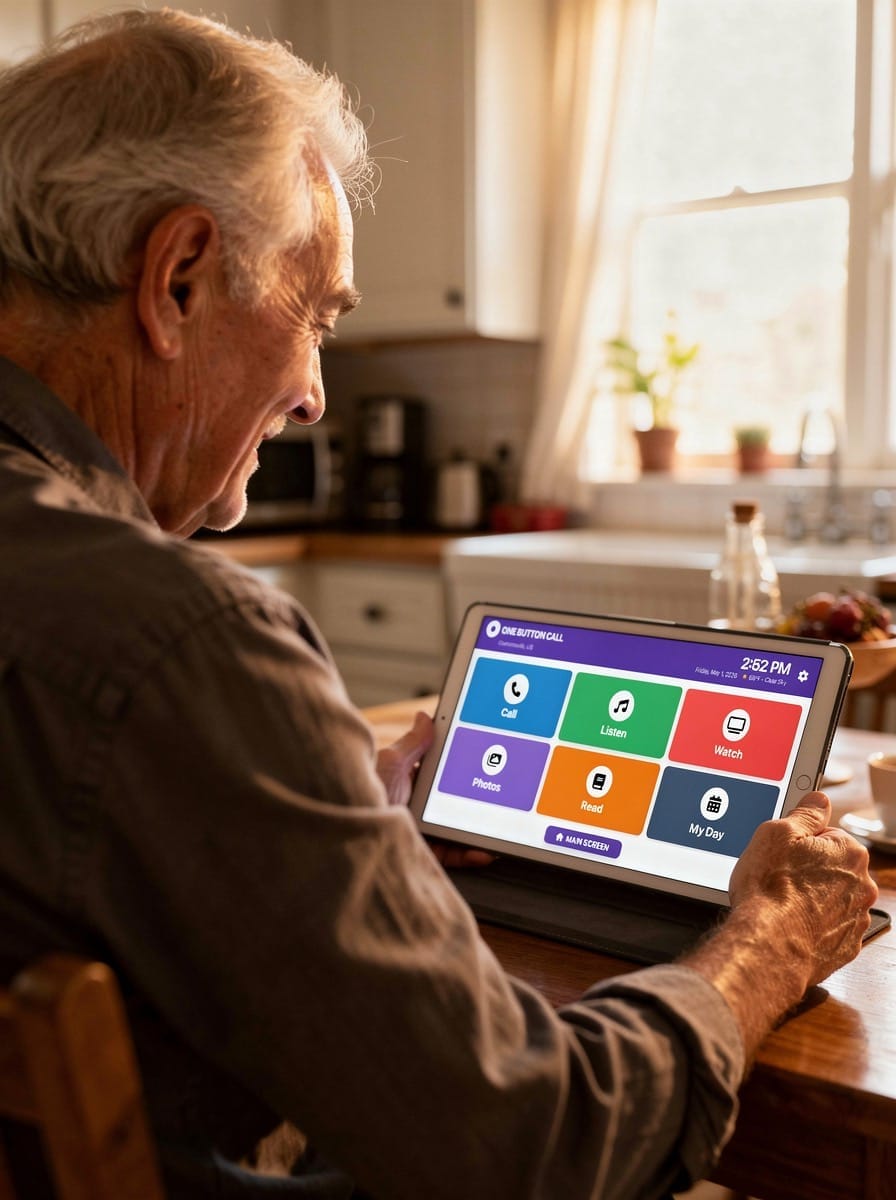
One-screen navigation. The fewer choices presented, the better. Platforms designed specifically for seniors with cognitive challenges display only a small number of large, clearly labeled options — typically just video call, photos, music, and maybe a few other features. There's no app store, no notifications, no distractions.
Curated content, remotely managed. A family member across the country should be able to add a new photo album, update a music playlist, or queue up videos — and have those changes appear instantly on the senior's screen. The senior doesn't do anything. They just wake up to something new and wonderful.
Tablet over phone. A tablet's larger screen is significantly easier to navigate for someone with declining dexterity or vision. And when the tablet runs only one app — locked down so that nothing else is accessible — it becomes a purpose-built connection device rather than a complicated computer.
The Hardware Trap to Avoid
Several products on the market solve parts of this problem but require families to purchase proprietary hardware, often at $300 or more upfront. That's a significant barrier — especially when the device becomes unusable the moment your loved one enters a care facility or can no longer interact with it at all.
The better approach is software that runs on a tablet your family already owns, or an inexpensive used tablet purchased for the purpose. If your parent stops using it, the tablet goes back to being a normal device.
A Note on Medication Reminders
For families managing a parent's medication compliance remotely, visual reminders that display images of each pill — and log when the senior confirms they've taken it — can be genuinely life-changing. Not only does this improve compliance, it gives remote family members real peace of mind without needing a daily check-in call.
What This Looks Like Day to Day
Imagine this: every morning, your parent wakes up and sees three or four large buttons on their tablet. One is labeled with your face for a video call. One opens a photo album you updated last week with pictures from your daughter's recital. One plays their favorite music. That's it. Nothing else. No confusion.
You added those photos from your phone during your lunch break. You didn't need to visit. You didn't need to walk anyone through anything.
That's the experience that One Button Call was built to provide. It started as a solution one family built for their own father — a man who grew up in a small Georgia town and learned to type on a Smith Corona typewriter he carried to college in 1961. Technology was never his world. But connection with his family was.
The app wasn't finished in time to help him the way his son had hoped. But it's helping other families now.
Getting Started
One Button Call works on any iPad (2018 or newer), Android tablet running OS 5 or later, or Windows tablet running Windows 11. No new hardware purchase required.
Setup takes about 15 minutes. Monthly membership is $25, with up to 10 family members able to contribute content and make calls.